Get the STRVend app
Add STRVend to your phone's home screen for one-tap access to your jobs, cleaning checklists, and photo sharing — with the camera built right in. No app store needed.
iPhone & iPad
- 1Open strvend.com in Safari.
- 2Tap the Share button at the bottom of the screen.
- 3Scroll down and tap Add to Home Screen .
- 4Tap Add. The STRVend icon appears on your home screen.
Android
- 1Open strvend.com in Chrome.
- 2Tap the menu (top-right).
- 3Tap Install app or Add to Home screen.
- 4Confirm. The STRVend icon appears in your app drawer.
Once added, STRVend opens full-screen like a normal app and can use your camera to snap turnover photos on the job.
Scan to open
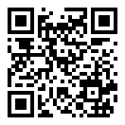
Point your phone camera here, then follow the steps for your device.
Managing a cleaning crew? Share this page — strvend.com/install — so everyone can set up in a minute.